Bloom is now Rainbrand

(Brand guidelines) // Productivity software

Dropbox brand
guidelines

Dropbox’s logo, colors, fonts, voice, and dos and don’ts, from the Brand Skill Rainbrand built from brand.dropbox.com.

Download the Brand Skill

About Dropbox

Dropbox is a cloud-based platform for storing, sharing, and collaborating on files, with a visual identity designed to bring clarity, humanity, action, and delight to work. Its brand system spans a distinctive logo and Tab, a flexible color palette, expressive typography, approachable language, purposeful imagery, and product experiences that feel useful and satisfying.

Dropbox has two principal logo expressions: the full logo, made of the glyph and wordmark, and the Tab, which combines the glyph with a plane. Use the full logo for high-level brand applications. The Tab can anchor a composition: when it appears, let the layout originate from its plane. Planes help establish hierarchy and cohesion across content.

Dropbox colors

  • Dropbox Blue

    Core brand color and the glyph

    HEX
    RGB
  • Coconut

    Core warm light background

    HEX
    RGB
  • Graphite

    Core dark color for text, the wordmark and dark backgrounds

    HEX
    RGB
  • Canopy

    Accent color matched to imagery

    HEX
    RGB
  • Zen

    Accent color matched to imagery

    HEX
    RGB
  • Crimson

    Accent color matched to imagery

    HEX
    RGB

Dropbox fonts

  • DB Sharp Grotesk

    Display headings

  • Atlas Grotesk

    Body text

Font names only. The Brand Skill download doesn’t include font files.

Dropbox’s voice

Dropbox sounds simple, helpful, human, and magical. Keep writing clear and concise: use strong nouns, trim unnecessary words, and shape a crisp story. Help people act by explaining what is coming and how to get there. Write like a real person; stay relatable and avoid jargon. Let wit and fresh language add a small moment of surprise without obscuring meaning.

Dropbox copy pairs practical direction with warmth and a light touch. Examples include “Go from idea to done with Dropbox.”, “These aren’t just your files. They are pieces of your life.”, “Get to work, with a lot less work.”, and “It’s that simple :)”.

  • “Go from idea to done with Dropbox”
  • “These aren’t just your files. They are pieces of your life”
  • “Get to work, with a lot less work”
  • “It’s that simple :)”

Dos and don’ts

Do

  • Build layouts around the Tab plane when using the Tab; let it organize and motivate the composition.
  • Pair accent colors with imagery to create harmony and focus.
  • Make icons simple, intuitive, scalable, and suitable to their role.
  • Make product interactions clear, functional, warm, and satisfying.
  • Write clearly, helpfully, and humanly; use wit lightly and keep the story crisp.

Don’t

  • Don’t distort, recolor, rotate, stretch, deconstruct, or reconfigure Dropbox logos.
  • Don’t make Dropbox plural or possessive, or use it as a noun or a verb.
  • Don’t let motion distract from the primary function or bury useful feedback in spectacle.
  • Don’t use jargon or clever language that gets in the way of clarity.

Dropbox imagery

109 images from brand.dropbox.com, in 2 files of the Brand Skill. Each file starts with its guidance, then shows the images it refers to.

Iconography

44 images

Dropbox icons share a visual language with DB Sharp Grotesk, combining characteristic round and square corners. Circular elements echo rounded forms in the typeface. Keep icons simple, intuitive, and scalable; use size, color contrast, and style to balance personality with information.

Use the level of detail that fits the role: UI icons are minimal and express essential characteristics; pictograms provide more contextual detail; spot icons convey a product or feature’s benefit and utility.


  • Three rounded-corner square app icons are layered together, fanning out slightly from left to right.
  • A bold black line icon of a trash can features a prominent arrow pointing upwards from the center of its body.
  • This is a minimalist black line-art illustration of a heart icon.
  • This minimalist black icon features a simplified skeleton key silhouette positioned above a row of four solid dots.
  • A minimalist black line icon of a microphone set against a plain background.
  • A solid black icon of a document file features a dog-eared upper right corner and a bold, upward-pointing arrow centered in its lower half.
  • A vertical graphic menu features five black line icons and text labels centered on a bright solid yellow background.
  • A vertical digital menu UI graphic features three rounded rectangular action buttons: "Edit" highlighted in a blue border with a pencil icon, "Copy link"…
  • A minimalist black outline icon of a digital camera, rendered with thick, uniform strokes and rounded bottom corners.
  • A bold black line icon depicts a stylized character wearing a patterned party hat.
  • A minimalist black outline icon representing a digital browser window or a payment card.
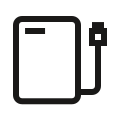
  • A bold, black-line minimalist icon of an external hard drive with rounded corners.
  • A minimalist black line art graphic stylized to look like a fingerprint or a swirling topographic map.
  • A thick, black-outlined highlighter icon oriented diagonally with the felt tip pointing toward the bottom left.
  • A minimalist black outline graphic representing two people in a layered composition.
  • A bold, black outline icon of a thumbs-up symbol, rendered with thick, blocky lines and rounded exterior corners.
  • A minimalist black graphic icon featuring two four-pointed stars with curved, concave sides.
  • A bold black warning icon featuring a thick triangular border with sharp corners.
  • A minimalist black graphic icon depicts a stylized zipper slider vertically centered within a shield-like frame.
  • A bold, black line graphic of a central ring connected to four smaller outer rings by short diagonal spokes.
  • A minimalist black graphic icon featuring a heavy-weight, open-circle outline.
  • This minimalist black graphic icon depicts a growth chart framed by a thick square border.
  • A minimalist black graphic icon featuring six vertical bars of varying lengths arranged in a horizontal row to suggest a sound wave or frequency meter.
  • A minimalist, flat black icon depicts a thick-outlined gear with six angular, blocky teeth.
  • A minimalist black linear icon depicts a small chick emerging from a cracked eggshell.
  • A minimalist black and white emoji graphic features a circular face wearing round, dark sunglasses.
  • A bold black graphic featuring a large 'X' centered inside a thick, rounded-square frame.
  • A bold, black minimalist icon of an RSS feed signal is centered.
  • A thick-lined, black and white minimalist icon of a video game controller angled diagonally upwards.
  • A bold, minimalist black line icon of a lightbulb representing an idea or innovation.
  • A bold, black hyperlink icon featuring two interlocked pill-shaped rings.
  • A bold, black minimalist PDF file icon.
  • A bold, black outline graphic of a pushpin is oriented diagonally, pointing toward the lower-left corner.
  • A minimalist black outline icon of a printer, rendered with thick, uniform strokes and rounded bottom corners.
  • A bold, black and white minimalist icon of a rocket ship angled diagonally as if launching toward the upper right corner.
  • A bold, minimalist black outline of a two-leaf seedling sprout.
  • A bold, black outline icon of a manual rubber stamp.
  • A minimalist black silhouette of a flying saucer or UFO icon.
  • A bold black line icon depicts a document folder with a rounded tab on the left side.
  • A bold black equilateral triangle symbol featuring a centered exclamation mark.
  • A thick-lined, minimalist black icon of a trophy cup centered against a plain background.
  • A horizontal dark user interface toolbar features nine minimal white icons enclosed in a rounded rectangular outline.
  • A horizontal layout features the white sans-serif text, "Pictograms provide contextual information and have slightly more detail than UI icons." Below this…
  • A minimalist graphic featuring two lines of sans-serif light grey text centered at the top that reads: "Spot icons are used to convey the benefit and utility…

Imagery

65 images

Choose imagery for its job. Photography is suited to real-world customer stories and to showing Dropbox’s value in actual situations. Illustration is effective for abstract or complex ideas, product descriptions, onboarding, and softening error messages. Product visuals should demonstrate specific functionality and real consumer interactions. Customer files can enrich a customer story by connecting their experience to Dropbox products.

Favor warm, relatable human moments and meaningful work. Match color intentionally to the image to create harmony and focus. For illustration, use simple, charming scenes and metaphors; for product stories, show the interface or the action clearly.

  • A vibrant collage of colorful geometric tiles sits against a white grid background, representing design and digital tools.
  • A golden-brown dog sits patiently facing a front door as several pink envelopes fall from the mail slot.
  • A digital graphic displays a 'Time spent per page' bar chart with light blue bars and one bright blue highlighted bar for page four.
  • A stacked graphic of two white research paper pages on a dark background, with the front page prominently displaying the title "ADAPTIVE LEARNING ALGORITHMS…
  • A woman with long wavy hair sits in a wooden folding chair on a patio, focused on her smartphone.
  • A digital graphic depicts a rectangular signature field outlined by a vibrant blue border with circular white nodes at each corner.
  • A man with dark hair and horn-rimmed glasses focuses intensely while using a white stylus on a tablet at a wooden desk.
  • A portrait of a smiling woman with glasses, dark hair tied back, and a rust-colored pinafore over a navy long-sleeve shirt.
  • A full-length vertical photograph of a Black woman with long, blonde-highlighted box braids crouching on a grassy field.
  • A smiling, grey-haired man with glasses stands confidently in the center of a bustling, high-ceilinged art studio.
  • A vibrant multimedia collage features a monochromatic woman with a bar of gold glitter obscuring her eyes.
  • A top-down product shot on a white marble surface features a large, gray linen-bound album alongside professional swatch sets and leather folios.
  • A digital sketchbook collage of a woman in various casual poses, rendered in a hand-drawn illustration style with scribbled hatch marks.
  • A high-angle photo shows a collection of expressionist, neo-primitive paintings scattered across a light wood table.
  • A full-length photo shows a man in a grey polo shirt and a woman in a beige cardigan walking and talking through a modern office.
  • High-angle photo of two interior designers collaborating at a wooden table covered in project materials.
  • A medium vertical shot captures a diverse trio of colleagues collaborating in a brightly lit, modern office with soft daylight.
  • In an industrial-style office, a man in a bright orange fleece sits at a desk, glancing sideways with a look of surprise or inquiry.
  • A close-up photograph captures the delicate moment a white dandelion seed head begins to scatter in a soft breeze.
  • A handwritten recipe for 'Jumbo Oatmeal Banana Cookies' on a piece of lined notebook paper.
  • A vibrant, child-like watercolor and oil pastel illustration depicts a pink, sliced pizza on a rectangular placemat, flanked by a green knife and a yellow fork.
  • A comprehensive architectural presentation board labeled NR340 displays hand-sketched elevations, sections, and floor plans for a co-living community project.
  • A mint green taxi drives through a bustling metropolitan intersection in this wide-angle street photograph, surrounded by pedestrians on zebra crossings.
  • An abstract, layered paper collage features a vibrant sunrise motif with concentric orange arcs rising over a pale yellow semi-circle.
  • A smiling young girl with dark hair tied back holds a small white chalkboard in a bright indoor setting with wooden shelving.
  • A top-down lifestyle photo captures a plated slice of porchetta stuffed with herbs and pistachios, served alongside roasted potatoes, purple carrots, and…
  • A vertical digital 3D composition features a cluster of floating, rounded abstract forms in shades of lavender and violet against a pale lilac background.
  • A vertical photo captures three vending machines standing side-by-side against a metallic mesh wall in an urban Japanese alley.
  • A top-down photograph shows a printed invoice for the Museum of Cambridge on a light wood surface, heavily marked with handwritten pen notes.
  • A digital document scan of a 'Rental Agreement' from 'LITE DAYS PHOTO RESOURCE' in Atlanta, GA.
  • A vertical digital boarding pass for Max Air features a vibrant blue background with white and yellow accents.
  • A person stands with a hand on their hip in a tall grass field under a vast, overcast sky.
  • A glowing cyan Dropbox logo sits at the center of an isometric wireframe grid on a dark charcoal background.
  • A digital document mockup for a DxHealth Systems Agreement features a dark, handwritten signature on the Service Provider line.
  • A vertical digital graphic features a floating arrangement of 3D organic shapes in purple, blue, and iridescent mesh textures.
  • A person with bright lime green manicured nails holds a small glass bowl filled with creamy yogurt and three vibrant red raspberries topped with a mint sprig.
  • A vertical instant-film photo with a thick white border captures a dense urban street in Japan.
  • A wide-angle, low-perspective photograph captures the minimalist, light-filled lobby of a contemporary building.
  • A digital UI graphic of a Google Sheets window titled 'Finance Sheet' featuring a clean table with two columns labeled '2024' and '2025'.
  • A wide-angle, behind-the-scenes photograph shows a film production crew working in a rugged desert canyon under bright daylight.
  • Two Australian Cattle Dogs sit side-by-side on a vibrant green lawn.
  • A vibrant collage of digital design elements and icons is arranged on a light blue grid background.
  • A clean, modern user interface for a digital file storage service titled 'All files' featuring a left-hand navigation bar and a top search bar.
  • A dynamic collage of digital workflow elements against a clean white background, anchored by a central photo of a woman with long braids swirling under a…
  • A high-fashion collage features a woman in two contrasting poses and coats against a neutral taupe backdrop.
  • A digital screenshot of a software interface showing 14 search results for 'Fall samples.' Three square image thumbnails feature high-fashion photography of…
  • A clean software user interface window titled 'Set naming convention' shows a file naming workflow on a white rounded card.
  • A close-up, over-the-shoulder shot shows a person holding a smartphone horizontally over a black laptop, demonstrating cross-device synchronization of a…
  • A digital graphic shows two overlapping white interface cards representing file management.
  • A salmon-pink slinky toy arches across the frame in a perfect semi-circle against a dense backdrop of lush, dark green foliage.
  • A 3D digital illustration features a complex, swirling structure made of many pale mint green spheres.
  • A surreal studio photo features a collection of tabletop gaming pieces seemingly floating or falling against a bright sky-blue background.
  • A software interface screenshot displays a 'Reference Folder' sharing modal with a list of four team members and their email addresses.
  • A black-and-white headshot of a man with short dark hair and clear-framed glasses, smiling subtly at the camera.
  • A man with short dark hair sits in profile at a desk, his focused gaze directed toward a computer screen.
  • A top-down illustration depicts a pair of warm-toned, brown-skinned hands reviewing several resumes or profile documents on a solid black desk.
  • A medium shot of a Black male construction worker focused on a white tablet in his hands, framed against a blurred construction site with scaffolding and a…
  • A South Asian man in a tan hoodie and a Black woman in a denim shirt and sunglasses stand together outdoors on a sunny street, reviewing content on a silver…
  • A professional male programmer in a blue plaid shirt and glasses sits at a light wood desk, deep in thought with a hand to his chin.
  • Three young professionals, two men and a woman in casual button-down shirts, lean over a white conference table to look at a laptop together.
  • A focused male technician in a blue polo shirt and shorts kneels as he services a large, white industrial robotic arm.
  • A high-angle outdoor wide shot captures a bustling college campus plaza filled with students walking and sitting on concrete benches.
  • This eclectic multimedia collage uses a palette of neon green, coral pink, and deep navy against a faint grid.
  • A dark-themed user interface for Dropbox Replay displays a video editing workspace featuring aerial footage of two red kayaks in turquoise water.
  • A minimalist black line icon of a pen and a signature is positioned on the far left of a wide, solid off-white banner.

More from the Brand Skill

Motion

Dropbox motion should feel fresh, inspiring, and flexible while supporting the task. Prioritize simplicity, deepen understanding, and give instant feedback. Use movement to clarify complex actions, reduce cognitive load, and make interactions feel immediate and physically grounded. Keep playfulness subtle: aim for a small, satisfying wink rather than an overwhelming spectacle. Scale the expressiveness to the experience while retaining these principles.

Design framework

Dropbox design aims to simplify the frenzy of modern work. Bring humanity, clarity, action, and delight together: make experiences warm and relatable, surface what matters, make the next step intuitive, and add small moments of pleasure. Keep functionality clear for both beginners and experts, and make work feel pleasant rather than dull.

Download Dropbox’s Brand Skill

A Brand Skill is a folder of brand guidance written for agents. Give it to Claude, ChatGPT, Cursor or another agent and ask it to follow Dropbox’s guidelines. It starts at SKILL.md, which points to the right file for each task.

It has the guidance, 132 images and the logos. The font files belong to Dropbox, Inc, so they’re left out.

dropbox-brand-skill/

├ SKILL.md

├ README.md

├ references/

│ ├ dos-and-donts.md

│ ├ color.md

│ ├ iconography.md

│ ├ logo.md

│ ├ motion.md

│ ├ typography.md

│ ├ voice-and-tone.md

│ ├ imagery.md

│ └ framework.md

└ assets/

├ images/

└ logos/

Rainbrand’s Brand Agent built this Brand Skill from brand.dropbox.com on 30 Oct 2026. It isn’t Dropbox’s official guide. Reviewed by Siddharth Borderwala, Founding Engineer at Rainbrand.

Dropbox and its logos are trademarks of Dropbox, Inc. Rainbrand isn’t affiliated with or endorsed by Dropbox, Inc.

Make one for
your brand.

Add Rainbrand to your agent and give it your website, brand guide or files. Rainbrand builds a Brand Skill like this one and keeps it up to date.

  1. Open the Rainbrand plugin and add it.

    Open Rainbrand plugin (opens in a new tab)
  2. Connect your Rainbrand account when asked. It works in ChatGPT and in Codex.

See all brands